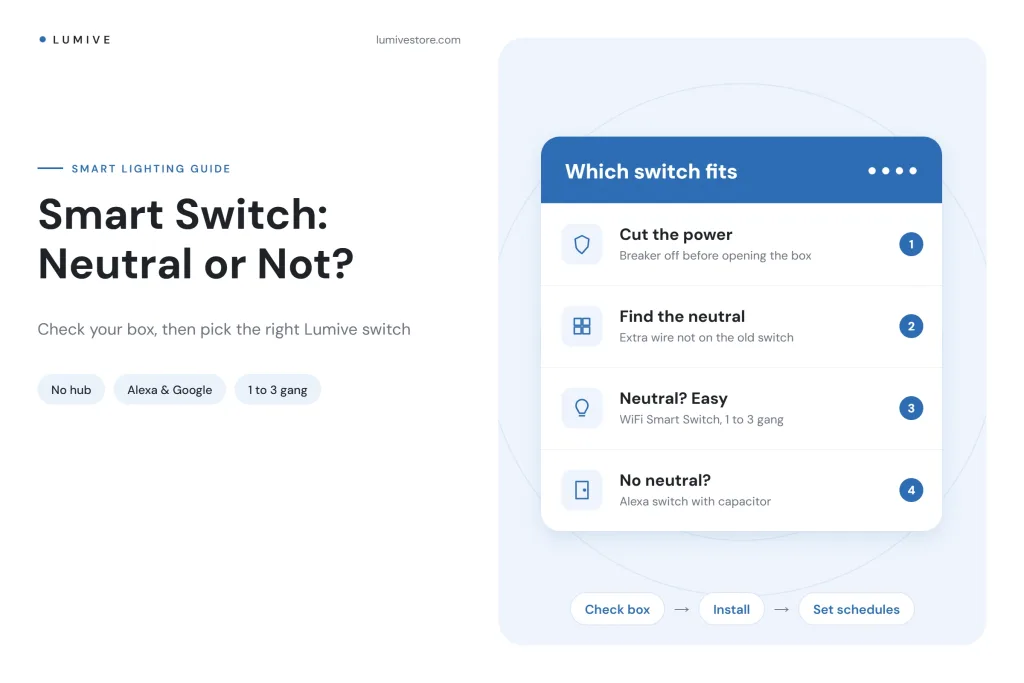
Short answer: Before you buy a smart light switch, check whether your wall box has a neutral wire. If it does, the Lumive WiFi Smart Light Switch (1 to 3 gang) is a simple choice. If it doesn’t, which is common in older Saudi homes, choose the Lumive Smart Light Switch for Alexa, which needs no neutral wire and comes with a capacitor to stop LED flicker. Both work over 2.4 GHz WiFi with Alexa and Google, with no hub.
What is a neutral wire, and why does a smart switch care?
A normal light switch only breaks one wire, the live. When it is off, it needs no power at all. A smart switch is different: it has a small WiFi module inside that must stay powered all the time so it can hear the app, schedules and voice commands even when the light is off.
The neutral wire gives the switch a clean, constant return path for that power. Without a neutral, a “no neutral” switch powers itself by letting a tiny current flow through the light bulb. With modern low-power LED bulbs, that tiny current can make the lights glow faintly or flicker when they are off. That is the problem the capacitor solves.
How do you check if you have a neutral wire?
Safety first: turn off the lighting circuit at the breaker before you open any switch box, and if you are not sure about electrical work, ask a qualified electrician. Mains voltage can kill.
- Switch off the breaker for that room and confirm the lights don’t turn on.
- Unscrew the faceplate of the existing switch and look into the box.
- Count the wires connected to the switch: usually a live in and one wire out per light (the switched lives).
- Look for an extra wire, or a bundle of wires joined together at the back of the box, that is not connected to the switch. In many installations that bundle is the neutral, often blue or black depending on the wiring age.
- If you can’t tell for certain, stop and let an electrician confirm with a tester. Wire colours are not always reliable in older buildings.
Which Lumive smart switch should you choose?
| Feature | WiFi Smart Light Switch | Smart Light Switch for Alexa |
|---|---|---|
| Neutral wire | Required | Not required (capacitor included) |
| Gangs | 1, 2 or 3 | 3 gang |
| Size | Fits behind standard wall switches | 86 × 86 × 35 mm (EU) |
| Panel | Not stated | Tempered glass touch, adjustable indicator light |
| Load | Not stated | 200 W per gang, 170–240 VAC |
| Connection | WiFi, no hub | 2.4 GHz WiFi, no hub |
| App | Lumive app or Tuya Smart | Tuya Smart Life |
| Voice | Alexa and Google Home | Alexa and Google Assistant |
| Timers and schedules | Yes | Yes |
In short: neutral available, pick by gang count. No neutral, the Alexa switch is the safe pick. See current prices on the product page.
Why do LED lights flicker with a no-neutral switch?
When the switch is off, it still draws a very small current through the bulb to keep its WiFi alive. An old incandescent bulb never noticed that current, but an efficient LED driver can react to it and glow or flash. Lumive’s no-neutral switch comes with a capacitor that is fitted across the light, as shown in the wiring diagram, to absorb that current. If you still see flicker:
- Check the capacitor is installed exactly as the diagram shows.
- Avoid running a single very low-wattage LED on one gang.
- Try a different LED bulb brand; drivers differ a lot.
How do you connect the switch to Alexa or Google?
- Install the app (Tuya Smart Life, or the Lumive app for the WiFi switch) and create an account.
- Make sure your phone is on 2.4 GHz WiFi. 5 GHz networks are not supported.
- Add the switch in the app and name each gang clearly, for example “Majlis main” and “Majlis cove”.
- In the Alexa or Google Home app, link the Smart Life (or Lumive) skill with the same account.
- Say “Alexa, turn off the majlis lights” to test, then create schedules and routines.
What can you do with a smart switch at home?
- Schedules: outside lights on at sunset and off at sunrise.
- Away mode: lights switch on and off while you travel so the house looks occupied.
- Bedtime: one voice command switches off every light in the house.
- Remote control: check from your phone whether you left a light on.
- Save electricity: lights that switch off on a timer. See our guide to saving electricity with smart LED lighting.
Still weighing WiFi against Zigbee or Matter switches? Read our smart wall switch comparison.
From Lumive’s experience: a common mistake we see is buying a switch that needs a neutral for a box that has none. Five minutes with the faceplate off, power cut at the breaker, saves the whole hassle.
6 tips for a clean smart switch installation
- Always cut power at the breaker, not just the wall switch.
- Take a photo of the old wiring before you disconnect anything.
- Check the back box is deep enough for a smart switch.
- Keep the total lighting load per gang within the stated limit.
- Set up the WiFi connection before you screw the faceplate back on.
- If anything is unclear, let a qualified electrician do the wiring.
FAQ
Does a smart light switch need a neutral wire?
Some do and some don’t. The Lumive WiFi Smart Light Switch needs a neutral, while the Lumive Smart Light Switch for Alexa works without one.
Why do my LED lights flicker after installing a smart switch?
No-neutral switches draw a tiny current through the bulb. Fit the included capacitor as shown in the diagram, and avoid very low-wattage LEDs on one gang.
Do Lumive smart switches need a hub?
No. Both connect directly to 2.4 GHz WiFi.
Do they work with Alexa and Google?
Yes. Both work with Amazon Alexa and Google voice control.
Can I install a smart switch myself?
If you are comfortable with mains wiring and cut the power at the breaker, yes. Otherwise, Lumive recommends a qualified electrician.
Can my family control the lights too?
Yes. You can share control with household members in the app, and anyone can still use the switch on the wall.
Upgrade your switches with Lumive
Have a neutral? Get the Lumive WiFi Smart Light Switch. No neutral? Choose the Smart Light Switch for Alexa. Use code WELCOME10 at checkout, or book professional installation if you’d rather not touch the wiring.


