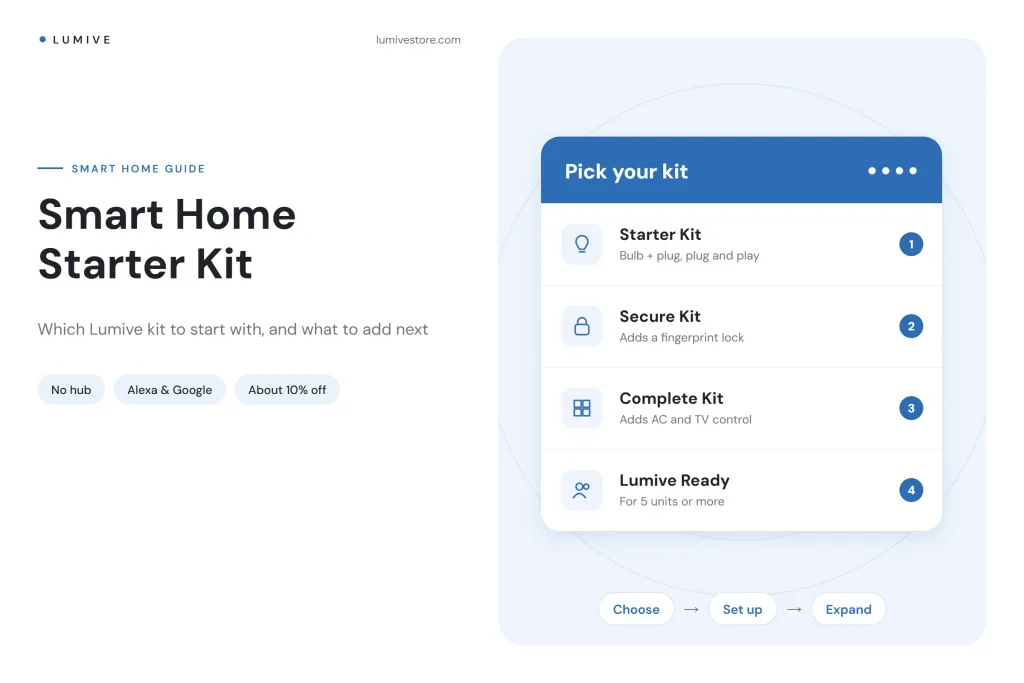
Short answer: The easiest way to start a smart home in Saudi Arabia is a ready-made smart home starter kit that works over your home WiFi with no hub. The Lumive Starter Kit (smart bulb + smart plug) suits renters and first-timers, the Lumive Secure Kit adds a Simplex S1 fingerprint lock, and the Lumive Complete Smart Home Kit adds a smart IR remote for your AC and TV. Each kit costs about 10% less than buying the same items separately.
Why start with a kit instead of single devices?
Most people start a smart home with one random gadget, then find it doesn’t work with the next one. A kit solves that: every device is chosen to work together in one app, setup follows the same steps, and you pay less than buying piece by piece. Start small, see what you actually use every day, then grow. If you want to plan the whole house first, use our smart home planner for Saudi homes.
What is in each Lumive smart home kit?
| Device | Starter Kit | Secure Kit | Complete Kit |
|---|---|---|---|
| Prisma smart bulb (E27, 12W, 1100 lumens, colour + warm to cool white) | Yes | Yes | Yes |
| PowerMate smart plug (16A, schedules, energy monitoring, surge protection) | Yes | Yes | Yes |
| Simplex S1 fingerprint cylinder lock (indoor doors) | No | Yes | Yes |
| Smart WiFi IR remote with temperature and humidity sensor | No | No | Yes |
The bulb, plug and IR remote connect straight to 2.4 GHz WiFi, so you don’t need a hub to begin.
Which kit is right for you?
| You are… | Best kit | Why |
|---|---|---|
| Renting, or trying smart home for the first time | Starter Kit | Plug and play, nothing to install, take it with you when you move |
| A family that wants keyless entry | Secure Kit | Fingerprint access for everyone, entry records in the app, plus smart lighting |
| Running a villa or a big apartment in the summer heat | Complete Kit | Adds AC and TV control from your phone and temperature-based automation |
| Fitting out several apartments | Lumive Ready | Volume pricing for 5 units or more through Lumive Ready |
What can each device do on day one?
- Prisma smart bulb: 16 million colours plus 2700K to 6500K white, dimming, schedules, scenes and a music sync mode. Works with Alexa and Google Home.
- PowerMate smart plug: turns anything plugged into it into a smart device, with timers, schedules and energy-use monitoring.
- Simplex S1 lock: opens by fingerprint, smart card, app over Bluetooth or mechanical key, and locks itself 5 seconds after the door opens (you can turn that off). It replaces your existing cylinder and is for indoor doors.
- Smart IR remote: controls IR devices such as your AC, TV and fans from your phone, can learn buttons from your original remotes, and reads temperature and humidity for automations.
How do you set up your kit on day one?
- Install the Lumive app and make sure your phone is on your 2.4 GHz WiFi network, not 5 GHz.
- Start with the smart plug: plug it in, add it in the app, and set one schedule, for example the water heater or a lamp.
- Screw in the Prisma bulb, switch it off and on three times to enter pairing mode, and add it.
- Link Alexa or Google Home and try one voice command.
- Secure and Complete kits: fit the Simplex S1 on an indoor door (check the cylinder length first) and add family fingerprints.
- Complete Kit: place the IR remote where it can see the AC and TV, add your devices, then create one automation.
From Lumive’s experience: the most common setup problem with starter kits is a phone connected to 5 GHz WiFi. Many home routers broadcast both bands with the same name. If a device won’t pair, temporarily split the networks or move closer to the router, and pairing usually works on the first try.
What should you add after the kit?
- Remote unlocking: the Simplex S1 opens over Bluetooth near the door. To unlock from anywhere you need a Lumive gateway, which is sold separately.
- More lighting: extra bulbs for each room, or a smart LED strip for ceilings and TV walls. See our smart LED strip buying guide.
- Smart switches: control a whole room’s lights from the wall and the app.
- More plugs: for the kettle, water heater or anything you want on a schedule.
FAQ
Do Lumive smart home kits need a hub?
No. The bulb, plug and IR remote connect straight to 2.4 GHz WiFi. Only remote unlocking of the Simplex S1 lock needs a separate Lumive gateway.
Do the kits work with Alexa and Google Home?
The Starter Kit devices work with Alexa and Google Assistant. In the Complete Kit, the IR remote supports Alexa, Google Assistant and Siri.
Is a smart home kit good for renters?
Yes. The Starter Kit needs no wiring or installation, so you can take it with you when you move.
Can I install the lock myself?
The Simplex S1 replaces your existing cylinder and is rated easy to install. If you prefer, book a Lumive technician for professional installation.
How much do I save with a kit?
Each kit is priced about 10% below buying the same devices separately.
Does the kit come with a warranty?
Yes. All Lumive products have a 2-year warranty and 14-day returns.
Start your smart home with Lumive
Pick the Starter Kit, the Secure Kit or the Complete Smart Home Kit, see the current price on each product page, and use code WELCOME10 at checkout. Delivery is free and takes 1 to 3 business days across Saudi Arabia.


